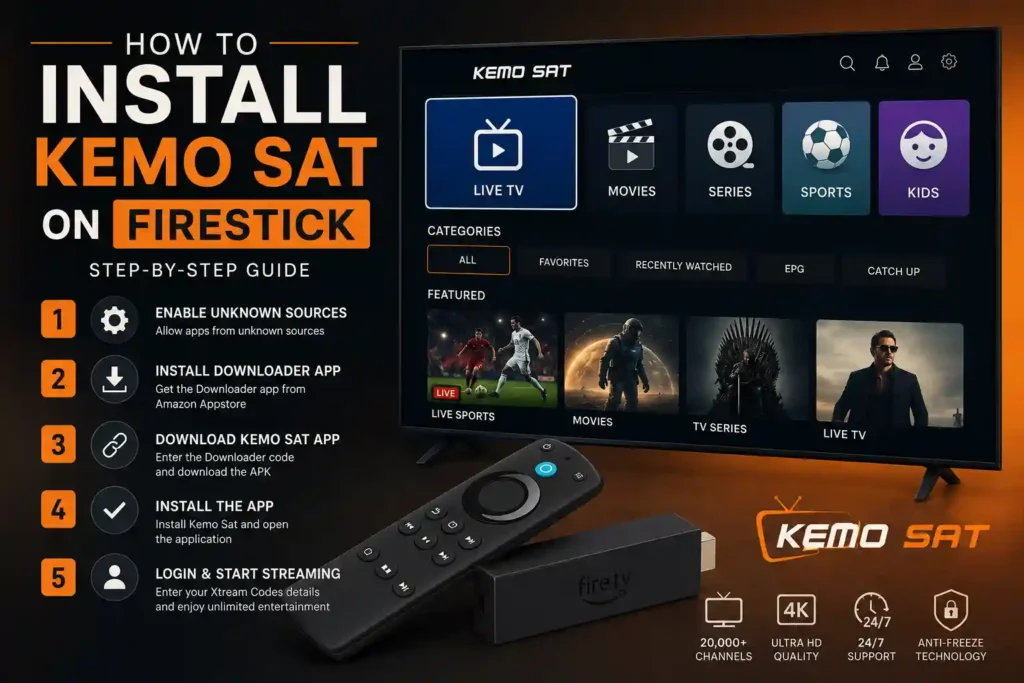
Watching your favorite live TV channels, sports, movies, and series is even better on Amazon Fire TV devices. With Kemo Sat, you can enjoy a smooth streaming experience on Firestick, Fire TV, and Fire TV Cube in just a few minutes.
This guide explains how to install the Kemo Sat app on your Firestick, configure your account using Xtream Codes, and start watching without complicated setup. Whether you’re using a Firestick Lite, Firestick 4K, Firestick 4K Max, or Fire TV Cube, the installation process is simple and beginner-friendly.
Firestick is one of the most popular streaming devices because it combines excellent performance with an easy-to-use interface. When paired with Kemo Sat, it provides access to thousands of live TV channels, sports events, movies, and TV shows from around the world.
Benefits include:
Fast and responsive performance
HD, Full HD, and 4K streaming support
Easy navigation with the Fire TV remote
Electronic Program Guide (EPG)
Video on Demand (VOD)
Favorites and recently watched lists
Regular app updates
Simple Xtream Codes login
Kemo Sat supports most Amazon Fire TV devices, including:
Fire TV Stick Lite
Fire TV Stick (3rd Generation)
Fire TV Stick 4K
Fire TV Stick 4K Max
Fire TV Cube
Fire TV Smart TVs
Before installing Kemo Sat, make sure you have:
A compatible Amazon Fire TV device
A stable internet connection
An active Kemo Sat subscription
Your Xtream Codes login details
The Downloader app installed on your Firestick
Because the Kemo Sat app isn’t available through the Amazon Appstore, you’ll first need to enable app installation from unknown sources.
Open Settings on your Firestick.
Go to My Fire TV.
Select Developer Options.
Enable Install Unknown Apps.
Allow the Downloader app to install applications.
Tip: Newer versions of Fire OS may display slightly different menu names, but the process remains similar.
If Downloader isn’t already installed:
Open the Amazon Appstore.
Search for Downloader.
Install the application.
Open Downloader after installation.
Downloader lets you securely download and install the Kemo Sat APK.
Launch Downloader and enter your official download link or Downloader Code.
Downloader Code : 5789712
Once downloaded, the installer will launch automatically.
After the APK finishes downloading:
Select Install.
Wait a few seconds.
Tap Done or Open.
You can safely delete the APK file afterward to free up storage space.
Open the Kemo Sat app.
Choose Xtream Codes Login.
Enter:
Username
Password
Server URL
Select Login.
Within a few moments, your playlists, categories, and channels will load automatically.
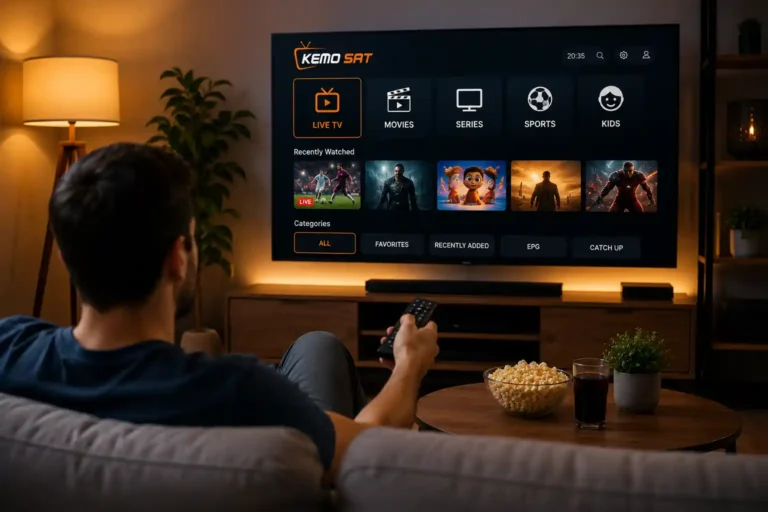
Once you’re signed in, you’ll have access to:
Browse thousands of live television channels from multiple countries.
Watch a growing library of on-demand movies in HD and 4K.
Stream complete seasons from popular TV shows.
Enjoy live coverage of football, basketball, UFC, boxing, Formula 1, NFL, NBA, NHL, MLB, and more.
View upcoming programs and schedules directly from the player.
Save your favorite channels for quicker access.
For smooth playback, we recommend:
Using a high-speed internet connection (25 Mbps or faster for 4K)
Connecting via Ethernet whenever possible
Restarting your Firestick regularly
Keeping the app updated
Closing unused background apps
These simple steps can improve performance and reduce buffering.
Double-check your username, password, and server URL. Ensure there are no extra spaces when entering your credentials.
Buffering is usually related to your internet connection. Restart your router, test your connection speed, and avoid downloading large files while streaming.
Verify that Install Unknown Apps is enabled and that your Firestick has enough available storage.
Refresh the playlist or restart the application. If the issue continues, contact our support team to verify your account status.
Yes. Kemo Sat supports Fire TV Stick Lite, Fire TV Stick, Fire TV Stick 4K, Fire TV Stick 4K Max, Fire TV Cube, and compatible Fire TV devices.
Yes. Downloader is the easiest and most common method for installing the Kemo Sat APK on Firestick.
Yes. 4K streaming is supported for compatible content and devices with a fast internet connection.
Most users complete the installation in less than five minutes.
This depends on the subscription plan you purchased. Visit our Pricing page to compare available options.
If you experience any issues during installation, our support team is ready to help you get started quickly. Whether you need assistance with downloading the app, logging in, or troubleshooting playback, we’re here to ensure you enjoy the best possible streaming experience.
Continue exploring Kemo Sat with these helpful resources:
Installation Guide – Complete setup instructions for all supported devices.
Kemo Sat for Android – Install and configure the app on Android phones, tablets, and Android TV.
Pricing – Compare subscription plans and choose the option that’s right for you.
FAQ – Find answers to the most common questions about Kemo Sat.